Java Cheat Sheet (Quick Reference)
Updated 13 min read Aimerscrew
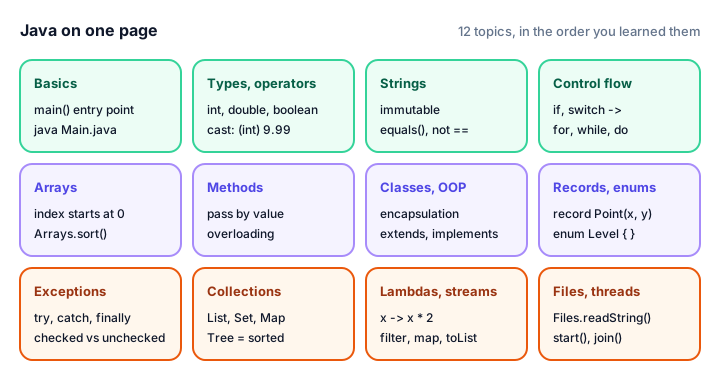
Nobody remembers every String method or the exact spelling of Collectors.groupingBy. Experienced developers look things up all the time. This Java cheat sheet puts the syntax you use most on one page, in compact tables and short snippets, so you can find what you need in seconds. The snippets are fragments that go inside a method; a few complete programs show real output. Every section links to the full lesson when you want the details.
🌍 Real-life example
A cheat sheet is like the laminated recipe card taped inside a restaurant kitchen. The chefs know how to cook, but during a busy dinner rush they glance at the card to check the exact amounts instead of opening the full cookbook. Keep this page open in a browser tab while you code and use it the same way: a quick glance, then back to work.
Java program skeleton
Every Java program needs a class and a main method. Save it as Main.java and run it with java Main.java (Java 11+), or compile first with javac. See Hello World and Java syntax.
import java.util.List;

public class Main {
    public static void main(String[] args) {
        List<String> tasks = List.of("Learn Java", "Practice", "Build something");
        for (String task : tasks) {
            System.out.println("- " + task);
        }
        System.out.println(greet("Java developer"));
    }

    static String greet(String name) {
        return "Hello, " + name + "!";
    }
}
- Learn Java
- Practice
- Build something
Hello, Java developer!java Main.java # run a single file directly
javac Main.java # compile to Main.class (bytecode)
java Main # run the compiled class
java -version # check your installed version| Rule | Example |
|---|---|
| Classes, records, enums, interfaces: PascalCase | BankAccount |
| Variables and methods: camelCase | totalPrice, getBalance() |
| Constants: UPPER_SNAKE_CASE | static final int MAX_SEATS = 180; |
| Comments | // line, /* block */, /** Javadoc */ |
Variables, data types and operators
| Type | Size | Example | Notes |
|---|---|---|---|
byte | 1 byte | byte b = 100; | -128 to 127 |
short | 2 bytes | short s = 30000; | -32,768 to 32,767 |
int | 4 bytes | int seats = 180; | About ±2.1 billion; the default whole number |
long | 8 bytes | long views = 8_000_000_000L; | Needs the L suffix for big literals |
float | 4 bytes | float f = 1.5f; | Needs the f suffix |
double | 8 bytes | double price = 19.99; | The default decimal number |
char | 2 bytes | char grade = 'A'; | Single quotes |
boolean | - | boolean paid = true; | true or false only |
String | - | String city = "Oslo"; | A class (reference type), double quotes |
var count = 10;                      // type inferred as int (local variables only)
final double TAX = 0.08;             // can't be reassigned
double d = 7;                        // widening: automatic
int whole = (int) 9.99;              // narrowing: cast needed, gives 9
int n = Integer.parseInt("42");      // String to int
String s = String.valueOf(42);       // int to String
long cents = Math.round(19.99 * 100); // 1999| Category | Operators | Watch out |
|---|---|---|
| Arithmetic | + - * / % | 7 / 2 is 3; use 7 / 2.0 for 3.5 |
| Increment | ++ -- | x++ uses then adds; ++x adds then uses |
| Assignment | = += -= *= /= %= | x += 2 means x = x + 2 |
| Comparison | == != < > <= >= | Use equals() for objects |
| Logical | && || ! | && and || short-circuit |
| Ternary | cond ? a : b | Keep it short and readable |
More in data types, type casting and operator precedence.
Strings and printf format specifiers
String s = "Hello, Java";
s.length();                 // 11
s.charAt(0);                // 'H'
s.indexOf("Java");          // 7  (-1 if not found)
s.substring(7);             // "Java"
s.substring(0, 5);          // "Hello" (end index excluded)
s.toUpperCase();            // "HELLO, JAVA"
s.contains("Java");         // true
s.startsWith("He");         // true
s.replace("Java", "World"); // "Hello, World"
"  hi  ".strip();           // "hi"  (trim() also works)
"a,b,c".split(",");         // ["a", "b", "c"]
String.join("-", "a", "b"); // "a-b"
"ha".repeat(3);             // "hahaha"
s.isBlank();                // false
s.equals("hello, java");            // false: case matters
s.equalsIgnoreCase("hello, java");  // true
"apple".compareTo("banana");        // negative: apple sorts first

StringBuilder sb = new StringBuilder("Hi");
sb.append('!').insert(0, "Oh, ").reverse();   // fast for many edits

String block = """
    Dear customer,
    Thanks for your order!
    """;                    // text block (Java 15+)
Strings are immutable: every method above returns a new string and leaves s unchanged. See string methods and StringBuilder.
| Specifier | Meaning | Example |
|---|---|---|
%d | Whole number (int, long) | %5d width 5, %05d zero-padded |
%f | Decimal (double) | %.2f two decimals, %,.2f with commas |
%s | String (or any object) | %-8s left-aligned in 8 characters |
%c | Character | 'J' |
%b | Boolean | true |
%x | Hexadecimal | 255 prints ff |
%e | Scientific notation | 1.234568e+04 |
%n / %% | New line / a literal % | "%d%%%n" |
public class FormatDemo {
    public static void main(String[] args) {
        System.out.printf("[%d] [%5d] [%-5d] [%05d]%n", 42, 42, 42, 42);
        System.out.printf("[%.2f] [%8.2f] [%,.2f]%n", 3.14159, 3.14159, 1234567.891);
        System.out.printf("[%s] [%-8s] [%8s]%n", "Java", "Java", "Java");
        System.out.printf("[%c] [%b] [%x] [%e]%n", 'J', true, 255, 12345.678);
        System.out.printf("[%d%%]%n", 75);
        String row = String.format("%-10s|%6.2f", "Latte", 4.5);
        System.out.println(row);
    }
}
[42] [ 42] [42 ] [00042]
[3.14] [ 3.14] [1,234,567.89]
[Java] [Java ] [ Java]
[J] [true] [ff] [1.234568e+04]
[75%]
Latte | 4.50The comma and decimal separators follow your computer's locale; this output comes from an English (US) locale. String.format uses the same specifiers but returns the text instead of printing it. See output formatting.
Control flow: if, switch and loops
if (score >= 90) {
    grade = "A";
} else if (score >= 80) {
    grade = "B";
} else {
    grade = "C";
}

String label = (stock > 0) ? "In stock" : "Sold out";   // ternary

String type = switch (day) {        // switch expression (Java 14+)
    case "SAT", "SUN" -> "Weekend";
    default -> "Weekday";
};

for (int i = 0; i < 5; i++) { }    // counted loop
for (String item : cart) { }       // for-each over an array or collection
while (balance < goal) { }         // repeat while true
do { } while (answer != 0);        // runs at least once

break;       // leave the loop
continue;    // skip to the next iteration
See if-else, switch, for loop and break and continue.
Arrays and methods
int[] scores = {90, 75, 88};          // fixed size
String[] names = new String[3];       // filled with null (0 for int[], false for boolean[])
scores.length;                        // 3 (a field, no parentheses)
scores[0] = 95;                       // indexes start at 0
int[][] grid = new int[3][4];         // 3 rows, 4 columns

Arrays.sort(scores);                  // import java.util.Arrays
Arrays.toString(scores);              // "[75, 88, 95]"
Arrays.fill(names, "?");
Arrays.copyOf(scores, 5);             // bigger copy, padded with 0
Arrays.binarySearch(scores, 88);      // index, on a sorted array
Arrays.equals(a, b);                  // compare contents
static double average(int[] values) { // return type, name, parameters
int sum = 0;
for (int v : values) {
sum += v;
}
return (double) sum / values.length;
}
static int add(int a, int b) { return a + b; } // overloading:
static double add(double a, double b) { return a + b; } // same name, different parameters
static int sumAll(int... numbers) { // varargs: sumAll(1, 2, 3)
return Arrays.stream(numbers).sum(); // numbers is an int[]
}
Math.max(3, 7); Math.abs(-5); Math.pow(2, 10); Math.sqrt(81); Math.round(2.5);Java passes arguments by value; for objects, the value is a copy of the reference. See the Arrays class, methods and the Math class.
Classes, records, enums and interfaces
public class Account {                       // class: blueprint for objects
    private static int count = 0;            // shared by all objects
    private final String owner;              // one per object, set once
    private double balance;

    public Account(String owner) {           // constructor
        this.owner = owner;
        count++;
    }

    public void deposit(double amount) {     // instance method
        if (amount > 0) { balance += amount; }
    }

    public double getBalance() { return balance; }    // getter

    @Override
    public String toString() { return owner + ": $" + balance; }
}

Account acc = new Account("Maya");           // create an object

class Savings extends Account {              // inheritance: one parent only
    Savings(String owner) { super(owner); }  // call the parent constructor
}

abstract class Shape { abstract double area(); }      // can't be instantiated

interface Payable { double amountDue(); }             // a contract
class Invoice implements Payable {
    public double amountDue() { return 99.0; }
}

record Point(int x, int y) { }               // immutable data class (Java 16+)

enum Level { LOW, MEDIUM, HIGH }             // fixed set of constants
Level.HIGH.ordinal();                        // 2
Level.valueOf("LOW");                        // Level.LOW

if (shape instanceof Circle c) { c.radius(); } // pattern matching (Java 16+)| Modifier | Visible from |
|---|---|
private | The same class only |
| (none) | The same package |
protected | The same package and subclasses |
public | Everywhere |
See classes and objects, inheritance, interfaces, records and enums.
Collections quick reference
| Need | Use | Key methods |
|---|---|---|
| Ordered list with indexes | ArrayList | add, get, set, remove, size, contains |
| No duplicates | HashSet / LinkedHashSet / TreeSet | add, contains, remove |
| Key-value lookup | HashMap / LinkedHashMap / TreeMap | put, get, getOrDefault, merge, entrySet |
| Queue or stack | ArrayDeque | offer, poll, push, pop, peek |
| Fixed, unchangeable list | List.of(...) | Read-only; add throws an exception |
Hash versions have no guaranteed order, Linked versions keep insertion order, and Tree versions keep items sorted.
import java.util.ArrayDeque;
import java.util.ArrayList;
import java.util.Deque;
import java.util.List;
import java.util.Map;
import java.util.Set;
import java.util.TreeMap;
import java.util.TreeSet;

public class CollectionsDemo {
    public static void main(String[] args) {
        List<String> cart = new ArrayList<>(List.of("milk", "bread"));
        cart.add("eggs");
        cart.remove("bread");
        System.out.println("List:  " + cart + ", first = " + cart.get(0));

        Set<String> tags = new TreeSet<>(List.of("java", "code", "java", "beginner"));
        System.out.println("Set:   " + tags);

        Map<String, Integer> stock = new TreeMap<>();
        stock.put("hoodie", 8);
        stock.merge("hoodie", 2, Integer::sum);
        stock.putIfAbsent("cap", 5);
        System.out.println("Map:   " + stock + ", socks = " + stock.getOrDefault("socks", 0));

        Deque<String> queue = new ArrayDeque<>();
        queue.offer("order 1");
        queue.offer("order 2");
        System.out.println("Queue: served " + queue.poll() + ", waiting " + queue);
    }
}
List: [milk, eggs], first = milk
Set: [beginner, code, java]
Map: {cap=5, hoodie=10}, socks = 0
Queue: served order 1, waiting [order 2]for (Map.Entry<String, Integer> e : stock.entrySet()) {
System.out.println(e.getKey() + " = " + e.getValue());
}
cart.removeIf(item -> item.startsWith("m")); // safe removal
Collections.sort(names); // natural order
names.sort(Comparator.comparing(String::length).thenComparing(Comparator.naturalOrder()));
Integer boxed = 5; int plain = boxed; // autoboxing and unboxingSee the collections framework, HashMap, generics and sorting collections.
Lambdas, streams and Optional
Runnable hello = () -> System.out.println("Hi");
Predicate<Integer> isEven = n -> n % 2 == 0;           // takes T, returns boolean
Function<String, Integer> len = String::length;         // takes T, returns R
Consumer<String> printer = System.out::println;          // takes T, returns nothing
Supplier<Double> random = Math::random;                  // takes nothing, returns T
BinaryOperator<Integer> add = (a, b) -> a + b;

list.stream()
    .filter(x -> x > 10)        // keep matching items
    .map(x -> x * 2)            // transform each item
    .sorted()                   // natural order
    .distinct()                 // drop duplicates
    .limit(5)                   // first 5
    .toList();                  // terminal: collect (Java 16+)

.count()  .sum()  .average()  .min(cmp)  .max(cmp)  .anyMatch(p)  .forEach(f)
.collect(Collectors.joining(", "))  .collect(Collectors.groupingBy(f))

Optional<User> found = users.stream().filter(u -> u.active()).findFirst();
found.map(User::name).orElse("nobody");
found.ifPresent(u -> System.out.println(u.name()));
import java.util.List;
import java.util.Map;
import java.util.TreeMap;
import java.util.stream.Collectors;
public class PlaylistStats {
public static void main(String[] args) {
List<Song> songs = List.of(
new Song("Sunrise", "Pop", 214),
new Song("Night Drive", "Synth", 305),
new Song("Paper Moon", "Pop", 187),
new Song("Low Tide", "Jazz", 262),
new Song("Neon", "Synth", 241)
);
List<String> longSongs = songs.stream()
.filter(s -> s.seconds() > 240)
.map(Song::title)
.sorted()
.toList();
int totalSeconds = songs.stream().mapToInt(Song::seconds).sum();
Map<String, Long> perGenre = songs.stream()
.collect(Collectors.groupingBy(Song::genre, TreeMap::new, Collectors.counting()));
System.out.println("Over 4 minutes: " + longSongs);
System.out.printf("Total: %d min %d s%n", totalSeconds / 60, totalSeconds % 60);
System.out.println("Songs per genre: " + perGenre);
}
}
record Song(String title, String genre, int seconds) {
}Over 4 minutes: [Low Tide, Neon, Night Drive]
Total: 20 min 9 s
Songs per genre: {Jazz=1, Pop=2, Synth=2}See lambda expressions, streams and Optional.
Exceptions, files and threads
try {
    int n = Integer.parseInt(input);
} catch (NumberFormatException e) {          // most specific first
    System.out.println("Not a number: " + e.getMessage());
} catch (IllegalArgumentException | IllegalStateException e) {   // multi-catch
    System.out.println("Bad input");
} finally {
    System.out.println("Always runs");
}

throw new IllegalArgumentException("Age must be positive");   // throw one
void load() throws IOException { }                             // declare checked ones

class OutOfStockException extends Exception {                  // custom, checked
    private static final long serialVersionUID = 1L;
    OutOfStockException(String msg) { super(msg); }
}
// import java.nio.file.*; methods below throw IOException
Path file = Path.of("notes.txt");
Files.writeString(file, "first line\n"); // create or replace
Files.writeString(file, "more\n", StandardOpenOption.APPEND); // add to the end
String all = Files.readString(file);
List<String> lines = Files.readAllLines(file);
Files.exists(file); Files.size(file); Files.delete(file);
try (BufferedReader in = Files.newBufferedReader(file)) { // closed automatically
String line;
while ((line = in.readLine()) != null) { }
}
Thread t = new Thread(() -> System.out.println("working"));
t.start(); // run on a new thread
t.join(); // wait for it to finishChecked exceptions (like IOException) must be caught or declared; unchecked ones (subclasses of RuntimeException, like NullPointerException) don't. See try-catch, file handling and threads.
Common mistakes to double-check
| Mistake | Fix |
|---|---|
if (name == "Ana") | if (name.equals("Ana")) |
double avg = sum / count; with two ints | (double) sum / count |
i <= arr.length in a loop | i < arr.length |
int n = map.get(key); on a missing key (NullPointerException) | map.getOrDefault(key, 0) |
list.remove(x) inside a for-each loop | list.removeIf(...) or an Iterator |
nextLine() right after nextInt() returns "" | Call an extra scanner.nextLine() first |
Overriding equals without hashCode | Override both, or use a record |
Calling thread.run() | thread.start() |
Practice exercise
🏋️ Try it yourself
Use this cheat sheet to build a parking garage report. Parking costs $2.50 per hour, with a $20.00 daily maximum. Create a record Stay(String plate, int hours), store three stays (KX-204 for 2 hours, LM-881 for 5 and TR-530 for 11) in a List, print each fee in neat columns with printf, then use streams to print the total and the plate with the longest stay.
Show solution
import java.util.Comparator;
import java.util.List;

public class ParkingReport {
    static final double HOURLY_RATE = 2.50;
    static final double DAILY_MAX = 20.00;

    public static void main(String[] args) {
        List<Stay> stays = List.of(
            new Stay("KX-204", 2),
            new Stay("LM-881", 5),
            new Stay("TR-530", 11)
        );

        for (Stay stay : stays) {
            System.out.printf("%-7s %2d h  $%5.2f%n", stay.plate(), stay.hours(), fee(stay.hours()));
        }

        double total = stays.stream().mapToDouble(s -> fee(s.hours())).sum();
        Stay longest = stays.stream().max(Comparator.comparingInt(Stay::hours)).orElseThrow();

        System.out.printf("Total:  $%.2f%n", total);
        System.out.println("Longest stay: " + longest.plate());
    }

    static double fee(int hours) {
        return Math.min(hours * HOURLY_RATE, DAILY_MAX);
    }
}

record Stay(String plate, int hours) {
}
KX-204 2 h $ 5.00
LM-881 5 h $12.50
TR-530 11 h $20.00
Total: $37.50
Longest stay: TR-530Math.min applies the daily cap, %5.2f lines up the prices, and max(Comparator.comparingInt(Stay::hours)) returns an Optional, which orElseThrow() unwraps because the list isn't empty.
Congratulations: you've completed the Java tutorial!
🎉 You made it to the end. You started with your first println, and now you can design classes and records, use inheritance and interfaces, handle exceptions, pick the right collection, write lambdas and streams, read and write files, run code on several threads, and finish complete projects such as a bank account system and tic-tac-toe. That's a real foundation: Android apps, banking systems and huge web backends are built on exactly these ideas.
Here's how to keep the momentum going:
- Test what you remember with the practice quizzes.
- Revisit the Java exercises and Java interview questions in a week; they'll feel much easier.
- Build something of your own: an expense tracker that saves to a file, a flashcard quiz, or a small inventory system. Real projects teach you the most.
- Learn another language with the same friendly approach: start the Python tutorial for fast scripting and data work, or the C tutorial to see how memory works under the hood.
- Explore everything else in our tutorials.
Thanks for learning Java with us, and happy coding!
Key takeaways
- Every Java program starts in public static void main(String[] args); run a single file with java Main.java.
- int and double are the default number types; cast before dividing when you need decimals.
- Compare strings and other objects with equals(), not ==, and remember that strings are immutable.
- Choose collections by need: ArrayList for lists, HashSet for uniqueness, HashMap for key-value lookups, Tree versions for sorted order.
- Streams chain filter, map and sorted, and end with a terminal operation such as toList, sum or count.
- Catch or declare checked exceptions, and use try-with-resources so files are always closed.
Frequently asked questions
What should a Java cheat sheet include?
A useful Java cheat sheet covers the program skeleton, data types, operators, string methods, control flow, arrays, methods, classes, records, enums and interfaces, the main collections, lambdas and streams, exceptions, file handling and printf format specifiers.
What are the most common printf format specifiers in Java?
Use %d for whole numbers, %f for decimals (%.2f for two decimal places), %s for strings, %c for characters, %b for booleans, %x for hexadecimal, %n for a new line and %% for a percent sign.
How do I run a Java program from the command line?
Since Java 11 you can run a single file directly with java Main.java. For larger programs, compile with javac Main.java to create Main.class, then run it with java Main.
Is it okay to use a cheat sheet while coding in Java?
Yes. Professional Java developers look up method names, collection APIs and format specifiers all the time. A cheat sheet speeds that up, and over time you will need it less.
What should I learn after Java basics?
Build a few larger projects, then learn a build tool such as Maven or Gradle, unit testing with JUnit, and a framework like Spring Boot for web backends, or Android development for mobile apps.